I've heard a lot about this magical "Cyber Monday" effect, and never really believed it until today. I've sold almost as much Android hardware in the past 3 days - including today - than I have in the previous MONTH. And the day isn't even over... I can't figure out where all the traffic is coming from...
It's like the Slashdot Effect met the Digg and Reddit Effect, and got in a three-way love triangle. And then the bastard child grew up and wanted to program Android. I guess on the one hand, I'm happy that a lot of people like the kits I'm building, and on the other hand I'm thinking to myself,... I have a lot of work to do.
It's only 2 pm, and for the first time in a long time, I'm low on almost all of the inventory and products I stock at Liquidware... but especially on the Android hardware development kits. For those that don't know, this is a big deal because all of the kits are hand made, hand soldered, and hand packaged by Will, Chris, Matt and me. I usually like to keep enough kits built up so I can hack on a few of them myself, but today, I'm so low that I've had to cancel most of my plans for the next week so I can catch up (sorry Nick!)...
The next 10-14 days are going to be ridiculous, but I will do the best I can to ensure that I don't go out of stock on anything for too long. Here's my plan:
-I'm going to spend all day soldering and building
-I'm going to spend all night programming
-I'm going to spend all "meta-night" packaging
"Meta-night" is my name for that time of the night when you really ought to be asleep, but aren't, because the program isn't compiling for some reason, and you really want to get it done before the next day. Also known as 1 am - 5 am.
I guess all I can say is, thanks for supporting Liquidware, and for supporting Open Source, the Open Source Hardware movement, hardware hacking, Arduino, and Android.
Now it's my turn to work my ass off to make sure everything gets out in time!
Monday, November 29, 2010


Saturday, November 13, 2010
Tron on Android Gadget Pack
Reliving my childhood/young adulthood for just one minute, the only movie that even held a candle to Sneakers and Hackers was Tron. Fantasies of flying through the motherboard in search of missing ROM addresses and hexdumping around with light racing motorcycles is pretty much what gets me by some late nights while hacking. It sure romanticized the reality of actual programming experience, which typically consisted of gcc-make-vi-pico-repeat-success-segfault.
So when I found out that the new Tron movie was coming out, and that it had motorcycles, and modern interpretations of the flying-saucers-of-death meets-American-Gladiator game, I got excited. In fact, I think all the guys and I at Liquidware are going to take a full half day off just to see the movie together (ps if you're in the Boston/Cambridge area, and want to come along, just shoot me an email at inthebitz at gmail).
 Anyway, I'm anxious. I think the movie is going to rock. And even if it doesn't, I'm going to see it anyway because of how influential it was to me, and many guys I know.
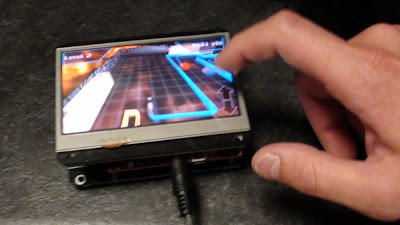
And in honor of that great movie, Will and Chris and I found an interpretation of Tron, called "Light Racer 3D", and got it running on the Liquidware Android Gadget Pack, running Android on the Beagleboard... enjoy!
 Here's a video of it running on the Android-Beagleboard-BeagleTouch combination. It's surprisingly fast and snappy for a portable device like this - at first, I couldn't really believe that the 3D graphics were so fluid...
All of the modules and components are available at the liquidware shop, and some more pictures are up on the Flickr page. Enjoy!
So when I found out that the new Tron movie was coming out, and that it had motorcycles, and modern interpretations of the flying-saucers-of-death meets-American-Gladiator game, I got excited. In fact, I think all the guys and I at Liquidware are going to take a full half day off just to see the movie together (ps if you're in the Boston/Cambridge area, and want to come along, just shoot me an email at inthebitz at gmail).

And in honor of that great movie, Will and Chris and I found an interpretation of Tron, called "Light Racer 3D", and got it running on the Liquidware Android Gadget Pack, running Android on the Beagleboard... enjoy!

All of the modules and components are available at the liquidware shop, and some more pictures are up on the Flickr page. Enjoy!
Friday, November 12, 2010
Simultaneous Quad Charging Lithium Batteries
In the past week, I've gotten a number of emails from people asking about the BeagleJuice module, and how you charge it. The BeagleJuice is a lithium ion rechargeable battery that snaps to the back of a Beagleboard, and let's you power it and any circuits or other modules like the BeagleTouch that you might have snapped on top of it for 4-6 hours depending on how much drain. If it's just the Beagleboard, it's about 6.5 hours.
Well, this is how *I* charge it - I typically charge 3-4 of them at once, running off of a USB "charging station", which is really just a 4-port USB hub that I've gutted, and wired up. The power is enough from this one USB hub to power 4 BeagleJuice's at a time.

Well, this is how *I* charge it - I typically charge 3-4 of them at once, running off of a USB "charging station", which is really just a 4-port USB hub that I've gutted, and wired up. The power is enough from this one USB hub to power 4 BeagleJuice's at a time.

Here's a video showing off my personal setup:
Wednesday, November 10, 2010
Arduino Uno launched and connected to the TouchShield Slide
Hallelujah! Finally, an Arduino edition with a sufficiently Anglicized name that I can actually pronounce!
Introducing the Arduino Uno. Uno. Pronounced: "ooo-no"
Not "doooehmillahnoevuh" like the previous version of the Arduino. Just Arduino Uno. Arduino Uno. It's as if a million teachers, educators, students, hackers, and DIY'ers cried out out in unison, and were NOT silenced by the second syllable after tripping over their tongues!
Here's my first Arduino Uno, still sitting inside its box, with no idea what kind of heinous, mind-stretching, solder-busting torture it's about to go through in the coming months. If it only knew... it might stay inside it's little comfort box:

This is my first one, taken out of the box:
 Here it is, sitting next to my trusty sidekick, the Illuminato Genesis. The Illuminato Genesis is still my go-to-board for high numbers of I/O requirements, and for a slightly faster speed:
 Of course my first reaction was,... does it work with the TouchShield Slide? The answer was... yes, it most certainly does:

 Justin just threw the Arduino Uno up over on the Liquidware Shop... and I uploaded some pictures over at the Flickr page. I'll be using the Arduino Uno in my upcoming projects, and will start seeing if there are any particular anomalies with my code samples, although I expect there not to be.
PS I like the new logo and color art too, nicely done, Team Arduino!

Introducing the Arduino Uno. Uno. Pronounced: "ooo-no"
Not "doooehmillahnoevuh" like the previous version of the Arduino. Just Arduino Uno. Arduino Uno. It's as if a million teachers, educators, students, hackers, and DIY'ers cried out out in unison, and were NOT silenced by the second syllable after tripping over their tongues!
Here's my first Arduino Uno, still sitting inside its box, with no idea what kind of heinous, mind-stretching, solder-busting torture it's about to go through in the coming months. If it only knew... it might stay inside it's little comfort box:

This is my first one, taken out of the box:


PS I like the new logo and color art too, nicely done, Team Arduino!

Tuesday, November 9, 2010
Skin Skeleton Guts (SSG) turns a TouchShield and Arduino into a Tricorder
I met Dominic Muren at the OSHW Summit in NYC. To say he's a pretty smart guy is a dramatic understatement - he's ridiculously creative, plus he has a contagious energy! So I spent some time digging around, and a few emails later, I dug up his TED talk - which to me pretty much hits the nail on the head.
"Modular, Hackable, and Open components that could be reconfigured into a variety of components."
YES YES YES!!! (I think I just had a When Harry Met Sally moment for OSHW modularity...)
Dominic has this idea that skin-skeleton-guts can server as a powerful metaphor for connecting all of the pieces together of modular devices. I've been thinking about this for a while, but Dominic's ideas really push it further than I had thought. The "last mile" of modular gadgets so to speak is the enclosure, the case, and the "wrapping" around modular gadgets.
The problem is that while modularity is clearly the future of gadgetry, no one up until now has really found a satisfying solution to the problem of high-cost enclosure design. Enclosures are hard to build, and require long iterations of designs. Until 3D printing is really on everyone's desktop, the idea of fabricating an enclosure for Open Source Hardware and Electronics is an expensive idea. But moreso than that, even if 3D printing on the desktop were a reality, you'd likely want to minimize the amount of material you use in a custom enclosure.
To the idea of "Skin Skeleton Guts" or SSG by Dominic, is that we should build the skeletal components that hug the sides of modular electronics, and then build wrappers out of flexible fabric, e.g. "skin" to wrap around the skeleton. The modules - for instance, the Arduino modules in this case, serve as the "guts". The fragmented structural hugging pieces serve as the "skeleton", and the flexible, perhaps transparent, fabric material becomes the skin.
The result is... drum roll...
 Pretty...

...darn...
 ...cool.
That's Dominic applying the principles of SSG to the MegaPalm Gadget Kit... stepwise heading in the direction of making it into a full blown device. That just made my entire week, seeing the concept of modularity and reconfigurable gadget components, getting pushed to the next level. It's one of those concepts that seems so straight-forward and natural, it makes me think, "why didn't I think of that?"
I'll have what he's having!
"Modular, Hackable, and Open components that could be reconfigured into a variety of components."
YES YES YES!!! (I think I just had a When Harry Met Sally moment for OSHW modularity...)
Dominic has this idea that skin-skeleton-guts can server as a powerful metaphor for connecting all of the pieces together of modular devices. I've been thinking about this for a while, but Dominic's ideas really push it further than I had thought. The "last mile" of modular gadgets so to speak is the enclosure, the case, and the "wrapping" around modular gadgets.
The problem is that while modularity is clearly the future of gadgetry, no one up until now has really found a satisfying solution to the problem of high-cost enclosure design. Enclosures are hard to build, and require long iterations of designs. Until 3D printing is really on everyone's desktop, the idea of fabricating an enclosure for Open Source Hardware and Electronics is an expensive idea. But moreso than that, even if 3D printing on the desktop were a reality, you'd likely want to minimize the amount of material you use in a custom enclosure.
To the idea of "Skin Skeleton Guts" or SSG by Dominic, is that we should build the skeletal components that hug the sides of modular electronics, and then build wrappers out of flexible fabric, e.g. "skin" to wrap around the skeleton. The modules - for instance, the Arduino modules in this case, serve as the "guts". The fragmented structural hugging pieces serve as the "skeleton", and the flexible, perhaps transparent, fabric material becomes the skin.
The result is... drum roll...


...darn...

That's Dominic applying the principles of SSG to the MegaPalm Gadget Kit... stepwise heading in the direction of making it into a full blown device. That just made my entire week, seeing the concept of modularity and reconfigurable gadget components, getting pushed to the next level. It's one of those concepts that seems so straight-forward and natural, it makes me think, "why didn't I think of that?"
I'll have what he's having!
Monday, November 8, 2010
A Beginner's Tutorial to Programming Android on the Beagleboard
Android is a fun development system platform - but you have to really enjoy googling around for relatively funky command line arguments if you're planning on making any progress in the course of one night. The google guys knew what they were doing, or at least did a great job building something pretty cool that works. Chris and I have been spending a decent amount of time learning how to program Android, and so I figured I'd write up a brief tutorial for anyone out there that doesn't want to spend nearly as much time as it took us to figure it out.
 The first step in programming Android is to download the Android SDK: http://developer.android.com/sdk/index.html
On Ubuntu Linux, I downloaded the SDK into the home directory, and unzipped / untarred it. The next step is to get the Beagle Android Gadget Pack recognizing on the USB port. The next step involves plugging a USB cable into the side of the gadget. Once it's in, run the command:
lsusb
I get a bunch of Bus 001 through Bus 005, followed by Device blablabla information. Here's the trick. You want to find the ID of the Android device, so run lsusb while the device is unplugged, and then run it again. On my computer, the line that changes when the Android gadget is plugged in is:
Bus 001 Device 004: ID 18d1:9018
Ok. Now create a file called "51-android.rules". See the part in the line above that says, "18d1"? and "Device 004"? That's idVendor and idProduct respectively. So change those values in the file content below:
/etc/udev/rules.d/51-android.rules
This is a rather convoluted and manual way to get the Ubuntu Linux OS recognizing the Android Gadget as a native Android device. Now, you can cd into the SDK directory, and type:
./adb devices
And the device should show up. This is what I get:
./adb shell
You'll get kicked out directly to the Android root command line, where you'll notice you can use ls, cd, cp, mv, rm, and cat. And that's about it. No text editor, no vi, no nothing. Pretty limited. Likely, you'll want to copy files on and off of the Android gadget, so you'll typically use these commands that come along with the Android SDK:
./adb install blabla.apk
Voila!

On Ubuntu Linux, I downloaded the SDK into the home directory, and unzipped / untarred it. The next step is to get the Beagle Android Gadget Pack recognizing on the USB port. The next step involves plugging a USB cable into the side of the gadget. Once it's in, run the command:
lsusb
I get a bunch of Bus 001 through Bus 005, followed by Device blablabla information. Here's the trick. You want to find the ID of the Android device, so run lsusb while the device is unplugged, and then run it again. On my computer, the line that changes when the Android gadget is plugged in is:
Bus 001 Device 004: ID 18d1:9018
Ok. Now create a file called "51-android.rules". See the part in the line above that says, "18d1"? and "Device 004"? That's idVendor and idProduct respectively. So change those values in the file content below:
Then copy the file here:
SUBSYSTEMS=="usb"
ATTRS{idVendor}=="18d1",
ATTRS{idProduct}=="0004",
MODE="0666"
/etc/udev/rules.d/51-android.rules
This is a rather convoluted and manual way to get the Ubuntu Linux OS recognizing the Android Gadget as a native Android device. Now, you can cd into the SDK directory, and type:
./adb devices
And the device should show up. This is what I get:
List of devices attached:Now I can use this command to get access to the Android Shell:
20100720 device
./adb shell
You'll get kicked out directly to the Android root command line, where you'll notice you can use ls, cd, cp, mv, rm, and cat. And that's about it. No text editor, no vi, no nothing. Pretty limited. Likely, you'll want to copy files on and off of the Android gadget, so you'll typically use these commands that come along with the Android SDK:
./adb push your_file to_location_on_androidAnd most importantly... if you have an APK downloaded or compiled for Android, and you want to install it, just use:
./adb pull path_to_file_on_android
./adb --help
./adb install blabla.apk
Voila!
Tuesday, October 26, 2010
Using the GeoShield to build an Open Source Hardware GPS
I've been trying to get a GPS sensor working with my Arduino for a long time. And without fail, they just don't work. Don't get me wrong - the ones that other people have made work, but they're spotty, and you have to be in the right corner, the right place at the right time. And if a leaf flitters off a tree at just the right time, the dew moisture creates enough interference that the signal's lost. And just when the signal comes back, it fails again just as quickly and then I barely get enough data points to recreate anything interesting.
Not any more >:-)
There may be cheaper GPS shields out there, but that's not the point. The point of the GeoShield is that it works, and it's competitive with commercial off-the-shelf GPS's. Out of the box. No coding, no digging around, it just works. And if you combine it and a TouchShield Slide, you have a completely portable DIY GPS... that is as powerful as most of the mainstream GPS's out there you can buy off the shelf.
This is the only GPS shield I've been able to test reliably in cities, from cars, and inside cases. So the steps to create an Arduino GPS with the GeoShield are pretty straight forward. You'll need:
The Lithium BackPack goes in back of the DoubleWide ExtenderShield next to the Arduino, and the TouchShield Slide and the GeoShield go on top. Like this:
 Here's a side angle:
 And here's a funky perspective shot:
 As you can see from the pictures, the GeoShield has a GPS sensor smack dab in the middle of the shield, with retro wireless solder pads emanating from it, as if to replicate a 1940's moving picture radio tower. On top of the GeoShield are a line of 4 user-controllable I/O pins (for debugging, of course), and then a GPS Rx and Tx pin, and finally a power white LED that tells you when it's powered up and has a signal. It's specifically designed this way because of all my hours of frustration with other GPS shields, wondering, "Does this thing ever work? Is it even powered on?" So this shield is designed to eliminate variables quickly, and get you up and running as quickly as possible. Oh yeah, and it also has a built in 3-axis accelerometer and compass, so it deserves it's name, "GeoShield".

Here's a link to the Open Source App Store app code that shows off a simple Night Rider program, plus polling of the GPS, Compass and 3-axis Accelerometer. The heart of the code is built into the Antipasto Arduino IDE function set:
Here's a video showing it off:

Justin just uploaded the GeoShield over onto the Liquidware Shop, here...
Not any more >:-)
There may be cheaper GPS shields out there, but that's not the point. The point of the GeoShield is that it works, and it's competitive with commercial off-the-shelf GPS's. Out of the box. No coding, no digging around, it just works. And if you combine it and a TouchShield Slide, you have a completely portable DIY GPS... that is as powerful as most of the mainstream GPS's out there you can buy off the shelf.
This is the only GPS shield I've been able to test reliably in cities, from cars, and inside cases. So the steps to create an Arduino GPS with the GeoShield are pretty straight forward. You'll need:
The Lithium BackPack goes in back of the DoubleWide ExtenderShield next to the Arduino, and the TouchShield Slide and the GeoShield go on top. Like this:

Here's a link to the Open Source App Store app code that shows off a simple Night Rider program, plus polling of the GPS, Compass and 3-axis Accelerometer. The heart of the code is built into the Antipasto Arduino IDE function set:
void loop() {


   gps_msg = geo.readGPS();


   /* Print the GPS data */

   Serial.print(gps_msg);


   /* Parse GPS data and send to the PC */

   //for (int i=0; i< strlen(gps_msg); i++) {

   //  handleGPS(gps_msg[i]);

   //}


   /* Print the Compass heading, Accel X, Accel Y, Accel Z data */

   sprintf(out, "$GEO,H%d,X%d,Y%d,Z%d\n", comp, x, y, z);

comp = geo.readCompass();

x = geo.readAccelX();

y = geo.readAccelY();

z = geo.readAccelZ();


//   delay(100);

   Serial.print(out);


   Sensor.print("co", comp);

   Sensor.print("xa", x);

   Sensor.print("ya", y);

   Sensor.print("za", z);

}
Here's a video showing it off:
The coolest part is that if you load up the pass-through sketch onto the Arduino, you can uncomment the coupe of lines that say, "print out to the PC", and then you can plug it in, load up a program like GPSFox, and get this:
Voila! Proof that it works - even from inside a friend's apartment!
Justin just uploaded the GeoShield over onto the Liquidware Shop, here...
Monday, October 25, 2010
Up and running on the Android DIY Development Kit in 180 seconds
Android is a high performance open source hardware and software development system platform - but you have to really enjoy googling around for relatively funky command line arguments to get a device up and running for the first time. This post is meant to save anyone who's picking up Android for the first time some serious time... I really wanted to name this "in 60 seconds or less" but I timed myself, and I'm being realistic - it takes about 3 minutes.

The google guys knew what they were doing, or at least did a great job building something pretty cool that works. Chris and I have been spending a decent amount of time learning how to program Android, and so I figured I'd write up a brief tutorial for anyone out there that doesn't want to spend nearly as much time as it took us to figure it out.
The first step in programming Android is to download the Android SDK
On Ubuntu Linux, I downloaded the SDK into the home directory, and unzipped / untarred it. The next step is to get the Android DIY Starter Kit or the Hardware Development Kit recognizing on the USB port. The next step involves plugging a USB cable into the side of the gadget. Once it's in, run the command:
lsusb
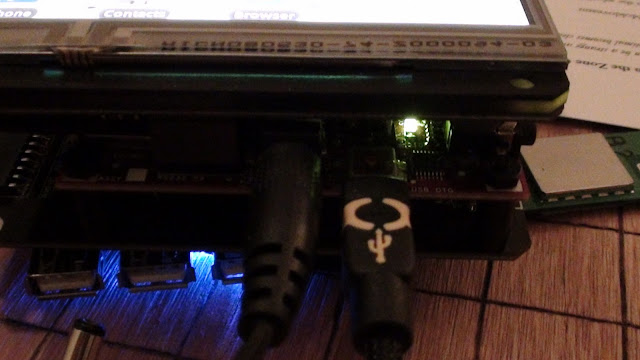
I get a bunch of Bus 001 through Bus 005, followed by Device blablabla information. Here's the trick: you want to find the ID of the Android device, so run lsusb while the device is unplugged, and then run it again. On my computer, the line that changes when the Android gadget is plugged in is:
Bus 001 Device 004: ID 18d1:9018
Ok. Now create a file called "51-android.rules". See the part in the line above that says, "18d1"? and "Device 004"? That's idVendor and idProduct respectively. So change those values in the file content below:
SUBSYSTEMS=="usb"
ATTRS{idVendor}=="18d1",
ATTRS{idProduct}=="0004",
MODE="0666"
Then copy the file here:
/etc/udev/rules.d/51-android.rules
This is a rather convoluted and manual way to get the Ubuntu Linux OS recognizing the Android Gadget as a native Android device. Now, you can cd into the SDK directory, and type:
./adb devices
And the device should show up. This is what I get:
List of devices attached
20100720 device
Now I can use this command to get access to the Android Shell:
./adb shell
To copy files on and off of the Android gadget, use these commands:
./adb push
./adb pull
./adb --help
And most importantly... if you have an APK downloaded or compiled for Android, and you want to install it, just use:
./adb install blabla.apk
Voila!

The google guys knew what they were doing, or at least did a great job building something pretty cool that works. Chris and I have been spending a decent amount of time learning how to program Android, and so I figured I'd write up a brief tutorial for anyone out there that doesn't want to spend nearly as much time as it took us to figure it out.
The first step in programming Android is to download the Android SDK
On Ubuntu Linux, I downloaded the SDK into the home directory, and unzipped / untarred it. The next step is to get the Android DIY Starter Kit or the Hardware Development Kit recognizing on the USB port. The next step involves plugging a USB cable into the side of the gadget. Once it's in, run the command:
lsusb
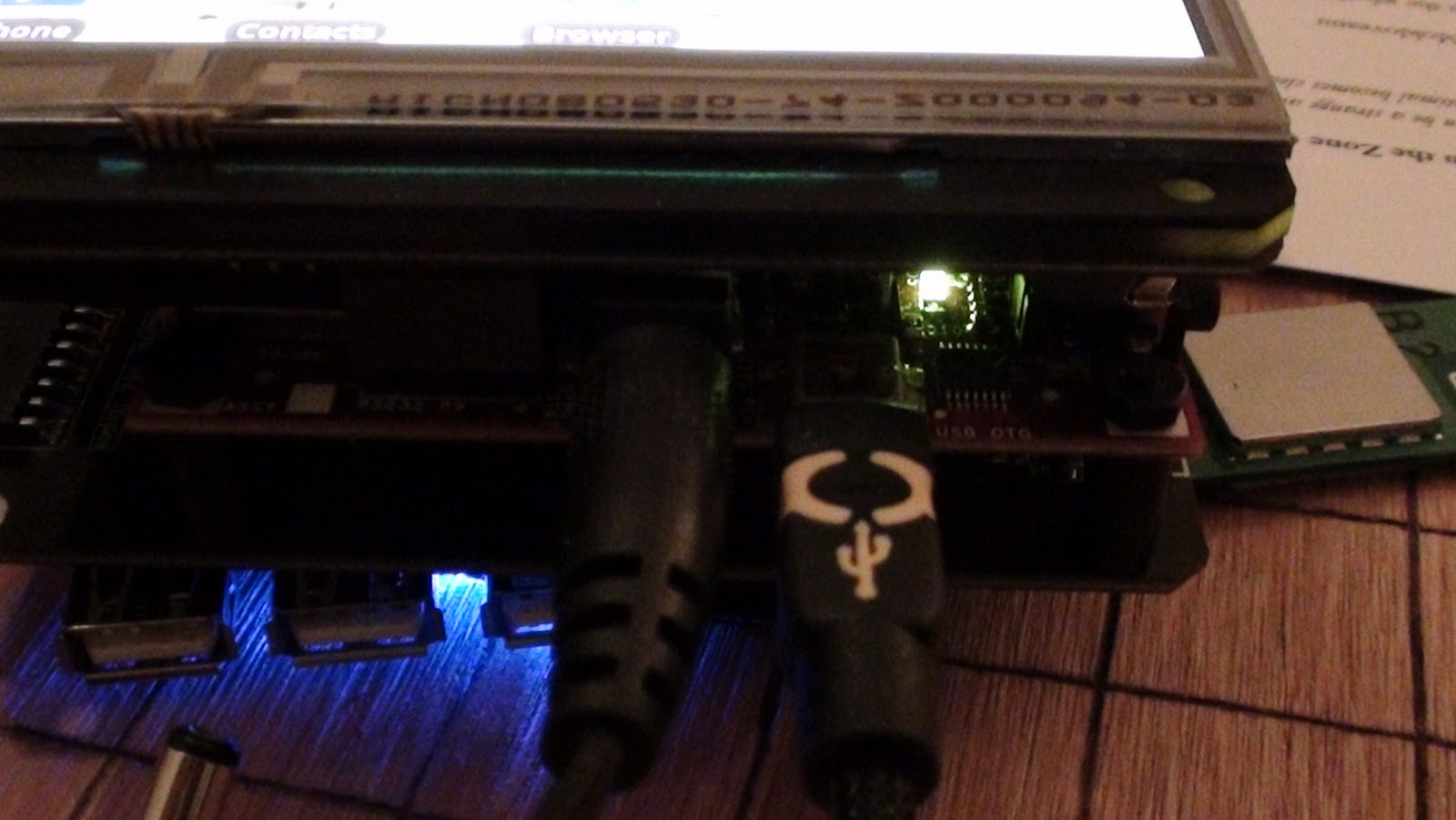
I get a bunch of Bus 001 through Bus 005, followed by Device blablabla information. Here's the trick: you want to find the ID of the Android device, so run lsusb while the device is unplugged, and then run it again. On my computer, the line that changes when the Android gadget is plugged in is:
Bus 001 Device 004: ID 18d1:9018
Ok. Now create a file called "51-android.rules". See the part in the line above that says, "18d1"? and "Device 004"? That's idVendor and idProduct respectively. So change those values in the file content below:
SUBSYSTEMS=="usb"
ATTRS{idVendor}=="18d1",
ATTRS{idProduct}=="0004",
MODE="0666"
Then copy the file here:
/etc/udev/rules.d/51-android.rules
This is a rather convoluted and manual way to get the Ubuntu Linux OS recognizing the Android Gadget as a native Android device. Now, you can cd into the SDK directory, and type:
./adb devices
And the device should show up. This is what I get:
List of devices attached
20100720 device
Now I can use this command to get access to the Android Shell:
./adb shell
To copy files on and off of the Android gadget, use these commands:
./adb push
./adb pull
./adb --help
And most importantly... if you have an APK downloaded or compiled for Android, and you want to install it, just use:
./adb install blabla.apk
Voila!
Tuesday, October 19, 2010
Introducing the DIY Android Gadget Starter Kit
This past weekend, Chris and I hacked Android onto the Beagleboard Embedded Gadget Pack. It was the culmination of about 3 weeks worth of working straight through, sleeping very little, and consuming many ASCII bunsen burner Red Bull's :-) The result is the DIY Android Gadget Starter Kit, which includes everything anyone would want or need to get started programming Android hardware and software applications, and to make a custom Android device.
Here's a picture of the Android DIY kit assembled:
 The DIY Android Modular Gadget development kit uses the same base modules as the Open SciCal, which got written up on Wired (thanks!), and also as the Embedded Beagleboard Gadget Pack, which has been really popular with embedded systems engineers:
 This is a nice perspective shot of the Android home menu, where the apps are typically stored and can be launched. The settings menu and options are fully functional, and the system comes preloaded with SL4A, a high performance scripting language that lets programmers write GUI's in Perl or Python (and a handful of other scripting languages):
 Justin uploaded all of the modules, components, and preprogrammed SD cards onto the Liquidware shop over here... and here.
Here's a picture of the Android DIY kit assembled:


Monday, October 18, 2010
Breaking Hardware Barriers: Linux vs. Android Gadgets
Here's a quick video showing off the DIY Android Modular Gadget I made with Chris:
Motivation
As it turns out, getting Android up and running on the Beagleboard is not too hard. Others have done it before. The hard part is doing it on a little modular gadget, that you can touch and type on the screen with natively, like any other Android gadget.
Ever since Google started controlling how many Android development kits are released, developers have had very few options for programming on Android. My goal was to make an Android Development Kit that significantly reduced the amount of time it normally takes to integrate custom hardware into the Android development.
Breaking barriers
Rapid prototyping with open source hardware isn't easy. It's certainly easier today than it was 5 or 10 years ago, and I like to think based on the emails and messages and calls I've gotten from friends and fellow developers, that projects like the Open SciCal and the Linux-based Beagleboard Embedded Starter Kit help.
In the last couple months, I've been hacking away on the Linux modular gadget platform, and for most applications, it's amazingly fast and sharp. The only time it's lacking a bit is when it comes to developing a quick and dirty GUI.
Linux vs. Android
Embedded systems development can take two very different forms. On the one hand, it can rely heavily on low level programming languages, and a native Linux cross-language, multi-compiler, shell-integrated environment. This is useful for building applications like scientific calculators, data loggers, industrial design and automation controllers. Basically, it's good for devices that don't need glitzy GUI's, but rather, need to do heavy duty analytical work.
On the other hand, sometimes embedded systems development is lighter on the analysis, and relies more heavily on sensor polling and on presenting real-time data readouts from sensors to a user. It might be a remote control, home automation gadget, LAN network diagnostic utility, etc. That's when Android shines, because it makes developing a clean GUI a piece of cake. I've been quite impressed as I've learned more and more about Android, over the past few weeks. As I've hacked away at the underlying codebase, I've learned quite a bit about how the developers of Android approached things, and I've been impressed.
The Best Tool for the Job
But that doesn't mean I'm leaving Linux behind... I now have 2 supertools: Linux for industrial and analytical work, and Android for more user-friendly, sensor-heavy apps.

I posted some more pictures up on the flickr page...
Motivation
As it turns out, getting Android up and running on the Beagleboard is not too hard. Others have done it before. The hard part is doing it on a little modular gadget, that you can touch and type on the screen with natively, like any other Android gadget.
Ever since Google started controlling how many Android development kits are released, developers have had very few options for programming on Android. My goal was to make an Android Development Kit that significantly reduced the amount of time it normally takes to integrate custom hardware into the Android development.
Breaking barriers
Rapid prototyping with open source hardware isn't easy. It's certainly easier today than it was 5 or 10 years ago, and I like to think based on the emails and messages and calls I've gotten from friends and fellow developers, that projects like the Open SciCal and the Linux-based Beagleboard Embedded Starter Kit help.
In the last couple months, I've been hacking away on the Linux modular gadget platform, and for most applications, it's amazingly fast and sharp. The only time it's lacking a bit is when it comes to developing a quick and dirty GUI.
Linux vs. Android
Embedded systems development can take two very different forms. On the one hand, it can rely heavily on low level programming languages, and a native Linux cross-language, multi-compiler, shell-integrated environment. This is useful for building applications like scientific calculators, data loggers, industrial design and automation controllers. Basically, it's good for devices that don't need glitzy GUI's, but rather, need to do heavy duty analytical work.
On the other hand, sometimes embedded systems development is lighter on the analysis, and relies more heavily on sensor polling and on presenting real-time data readouts from sensors to a user. It might be a remote control, home automation gadget, LAN network diagnostic utility, etc. That's when Android shines, because it makes developing a clean GUI a piece of cake. I've been quite impressed as I've learned more and more about Android, over the past few weeks. As I've hacked away at the underlying codebase, I've learned quite a bit about how the developers of Android approached things, and I've been impressed.
The Best Tool for the Job
But that doesn't mean I'm leaving Linux behind... I now have 2 supertools: Linux for industrial and analytical work, and Android for more user-friendly, sensor-heavy apps.

I posted some more pictures up on the flickr page...
Android Hacked onto the BeagleBoard OSHW GadgetPack ... with avengance
The time is 3:27 am on the East Coast as I write this. It's Sunday, I have work tomorrow morning.
I'm happy to say... Android has now officially been cracked onto the Beagle GadgetPack. Chris and I just finished hacking it onto the BeagleBoard, with a fully-integrated touchscreen OLED screen, overlay, and interface at the driver level to the BeagleTouch.

It connects to the internet.
It loads webpages, it runs scripts.
It reads and interfaces to sensors.
The touchscreen supports drag, drag and drop, sliding, scrolling, and gesturing.
It can download and run native Android APK files off of Open APK app stores.
It even runs the SL4A rapid prototyping environment that is scriptable in Perl and Python.
This was no easy task. Nick, Will, Chris, Mike all helped here and there with driver help and ideas for how to compile around the early driver problems. Thanks to the TI guys (esp. Gerald!), and the Google Groups community too for their help... and for the guys at embinux.org for a good starting point reference. And of course some special help from Google themselves (names will remain anonymous because I'd hate to see someone lose their job for supporting a hacker like me)... who came in at the last minute to help me crack open the driver access level, which allowed me to make a user-space display driver to the BeagleTouch... FROM SCRATCH.

Now the most important part of all of this is the question I got from Jake, when I talked to him 3 weeks ago: why?
Because I'm sick of the iPad. Every time you go into Starbucks, you see someone digitally frolicking around on their apps, clickety clacking around with glee, pinching and spinning their fingers around a million times just to do what you used to be able to do with CNTRL-+ or CNTRL-- to zoom in and out just as quickly, all the while being wholly restricted and unable to compile any of their own apps natively, and god forbid trying to access the driver level.
 The problem is simple: I am fundamentally against the entire principle and idea of the phrase, "there's an app for that(TM)." (Are you serious?!?! I have to put a "Trademark" on that?!?) I think that little phrase is endemic of everything that's going wrong with the hacker world today. It symbolizes the end of an era. It is the antithesis of open, and the optimum of control and limitation.
I don't want an app for that. I want a programming language and access to some low level OS function for that.
I'm fighting back, and this Android hack is the first step in the war. The problem with the philosophy of "there's an app for that" is that it's training the new up and coming programmers and would-be hackers and developers that if you want some hitherto unavailable functionality for your device, you should go onto a tightly controlled ecosystem of apps (iTunes app store), and pay money for a limited, controlled, censored, channel monitored, Apple-sanctioned little app that took WAY too long to write because the darn specs are undocumented.
No thank you. I want to help teach, train, and motivate a new breed of far more open sourced and efficient hardware hackers...
Apple is going to lose. Because hackers are going to use the platform that is the most extensible, most hackable, and most fun to use. Programming the iPod and iPad and app store-compatible apps is an exercise in painful, torturous sacrifice. You start out development thinking you want to build a simple little functioning app. Then you find out, function by function, that Apple has restricted that functionality to a mere fragment of it's former self. Useless!
Android is where it's at. You get driver control if you need it, you have a multitude of programming languages, an Open Source app distribution channel, and raw sensor channels for interfacing with all kinds of sensors (stay tuned for some hacks on this to come). Android is literally the perfect rapid prototyping platform. It is just high level enough to be efficient, it's just low level enough to enable embedded applications development. And it's Open Source, so if you need to, you can just recompile the whole darn thing from scratch yourself if you want to.
 And that's powerful. In the coming weeks, I'm going to do my best to integrate open source hardware and open source software together, using this newly cracked Android Gadget as my platform... bring it on!
I'm happy to say... Android has now officially been cracked onto the Beagle GadgetPack. Chris and I just finished hacking it onto the BeagleBoard, with a fully-integrated touchscreen OLED screen, overlay, and interface at the driver level to the BeagleTouch.
It connects to the internet.
It loads webpages, it runs scripts.
It reads and interfaces to sensors.
The touchscreen supports drag, drag and drop, sliding, scrolling, and gesturing.
It can download and run native Android APK files off of Open APK app stores.
It even runs the SL4A rapid prototyping environment that is scriptable in Perl and Python.
This was no easy task. Nick, Will, Chris, Mike all helped here and there with driver help and ideas for how to compile around the early driver problems. Thanks to the TI guys (esp. Gerald!), and the Google Groups community too for their help... and for the guys at embinux.org for a good starting point reference. And of course some special help from Google themselves (names will remain anonymous because I'd hate to see someone lose their job for supporting a hacker like me)... who came in at the last minute to help me crack open the driver access level, which allowed me to make a user-space display driver to the BeagleTouch... FROM SCRATCH.
Now the most important part of all of this is the question I got from Jake, when I talked to him 3 weeks ago: why?
Because I'm sick of the iPad. Every time you go into Starbucks, you see someone digitally frolicking around on their apps, clickety clacking around with glee, pinching and spinning their fingers around a million times just to do what you used to be able to do with CNTRL-+ or CNTRL-- to zoom in and out just as quickly, all the while being wholly restricted and unable to compile any of their own apps natively, and god forbid trying to access the driver level.

I don't want an app for that. I want a programming language and access to some low level OS function for that.
I'm fighting back, and this Android hack is the first step in the war. The problem with the philosophy of "there's an app for that" is that it's training the new up and coming programmers and would-be hackers and developers that if you want some hitherto unavailable functionality for your device, you should go onto a tightly controlled ecosystem of apps (iTunes app store), and pay money for a limited, controlled, censored, channel monitored, Apple-sanctioned little app that took WAY too long to write because the darn specs are undocumented.
No thank you. I want to help teach, train, and motivate a new breed of far more open sourced and efficient hardware hackers...
Apple is going to lose. Because hackers are going to use the platform that is the most extensible, most hackable, and most fun to use. Programming the iPod and iPad and app store-compatible apps is an exercise in painful, torturous sacrifice. You start out development thinking you want to build a simple little functioning app. Then you find out, function by function, that Apple has restricted that functionality to a mere fragment of it's former self. Useless!
Android is where it's at. You get driver control if you need it, you have a multitude of programming languages, an Open Source app distribution channel, and raw sensor channels for interfacing with all kinds of sensors (stay tuned for some hacks on this to come). Android is literally the perfect rapid prototyping platform. It is just high level enough to be efficient, it's just low level enough to enable embedded applications development. And it's Open Source, so if you need to, you can just recompile the whole darn thing from scratch yourself if you want to.
Saturday, October 16, 2010
How to turn a Beagle GadgetPack into a digital ASCII bunsen burner
Time for a silly application of modularity... for no intent or purpose, simply demonstrating a Matrix-esque special effect on the front of the BeagleTouch module, running aalib's ridiculously cool aafire app.

Will and Chris put together a pretty cool little auto-loading script, and made sure all the aalib libraries were in place (which they were), and it just worked. The cool part is mostly how fast the demo seems to run...
Now time for the good part... as every hacker knows, the food pyramid contains 3 essential foods:
Yes, they are listed in that order because that is roughly how they stack up in order of mass consumed by me per week. I mean seriously, where would Linux virtual memory, Android's driver subsystem, and Ruby on Rails be, if not for these 3 food groups? I can personally attest to consuming my fair share... not because I particularly like the taste of any of them, but simply because generations of hackers before me have lived on exactly this, and who am I to challenge tradition? (This is getting ridiculous, I know). Many books have been written about programmer and hacker productivity, methods of development, etc. but I might argue that Red Bull, Pop Tarts, and Raman are a radically under-researched productivity tool.
But suffice to say, a digital ASCII blue fire bunsen burner - although non-functional - sure *looks* cool as heck underneath a can of Red Bull, doesn't it? It must be doing something... I swear it tasted better than my not-so-highly scientifically isolated placebo trial.
:-)
Ok, here's how to get it up and running on the Beagle Embedded GadgetPack:
Open up a terminal like xterm using the keyboard connected to the USB port on the side of the GadgetPack.
Then, either download this package onto the SD card, or if you have the Wifi Module or Ethernet Module, you can type this directly onto the command to download aalib:
wget http://sourceforge.net/projects/aa-project/files/aa-lib/1.2/aalib-1.2.tar.gz
Untar the archive:
tar xvf aalib-1.2.tar.gz
Move to the directory:
cd aalib-1.2
Run this command to configure:
./configure --host=localhost
Then compile the source code:
make
make install
And then run, sit back, and enjoy the digital fire that neither keeps you warm, *nor* cools you down, so at least it's not a negative fire, or put in other terms, at least the correlation coefficient between this digital bunsen burner and utility is not negative (R is at worst 0, so ha!):
export DISPLAY=:0.0
xterm -fg red -bg black -e "./aafire"
Voila!

 For more pictures of the ASCII burner, I've uploaded some high res shots at flickr...
Will and Chris put together a pretty cool little auto-loading script, and made sure all the aalib libraries were in place (which they were), and it just worked. The cool part is mostly how fast the demo seems to run...
Now time for the good part... as every hacker knows, the food pyramid contains 3 essential foods:
Yes, they are listed in that order because that is roughly how they stack up in order of mass consumed by me per week. I mean seriously, where would Linux virtual memory, Android's driver subsystem, and Ruby on Rails be, if not for these 3 food groups? I can personally attest to consuming my fair share... not because I particularly like the taste of any of them, but simply because generations of hackers before me have lived on exactly this, and who am I to challenge tradition? (This is getting ridiculous, I know). Many books have been written about programmer and hacker productivity, methods of development, etc. but I might argue that Red Bull, Pop Tarts, and Raman are a radically under-researched productivity tool.
But suffice to say, a digital ASCII blue fire bunsen burner - although non-functional - sure *looks* cool as heck underneath a can of Red Bull, doesn't it? It must be doing something... I swear it tasted better than my not-so-highly scientifically isolated placebo trial.
:-)
Ok, here's how to get it up and running on the Beagle Embedded GadgetPack:
Open up a terminal like xterm using the keyboard connected to the USB port on the side of the GadgetPack.
Then, either download this package onto the SD card, or if you have the Wifi Module or Ethernet Module, you can type this directly onto the command to download aalib:
wget http://sourceforge.net/projects/aa-project/files/aa-lib/1.2/aalib-1.2.tar.gz
Untar the archive:
tar xvf aalib-1.2.tar.gz
Move to the directory:
cd aalib-1.2
Run this command to configure:
./configure --host=localhost
Then compile the source code:
make
make install
And then run, sit back, and enjoy the digital fire that neither keeps you warm, *nor* cools you down, so at least it's not a negative fire, or put in other terms, at least the correlation coefficient between this digital bunsen burner and utility is not negative (R is at worst 0, so ha!):
export DISPLAY=:0.0
xterm -fg red -bg black -e "./aafire"
Voila!
Subscribe to:
Posts (Atom)